
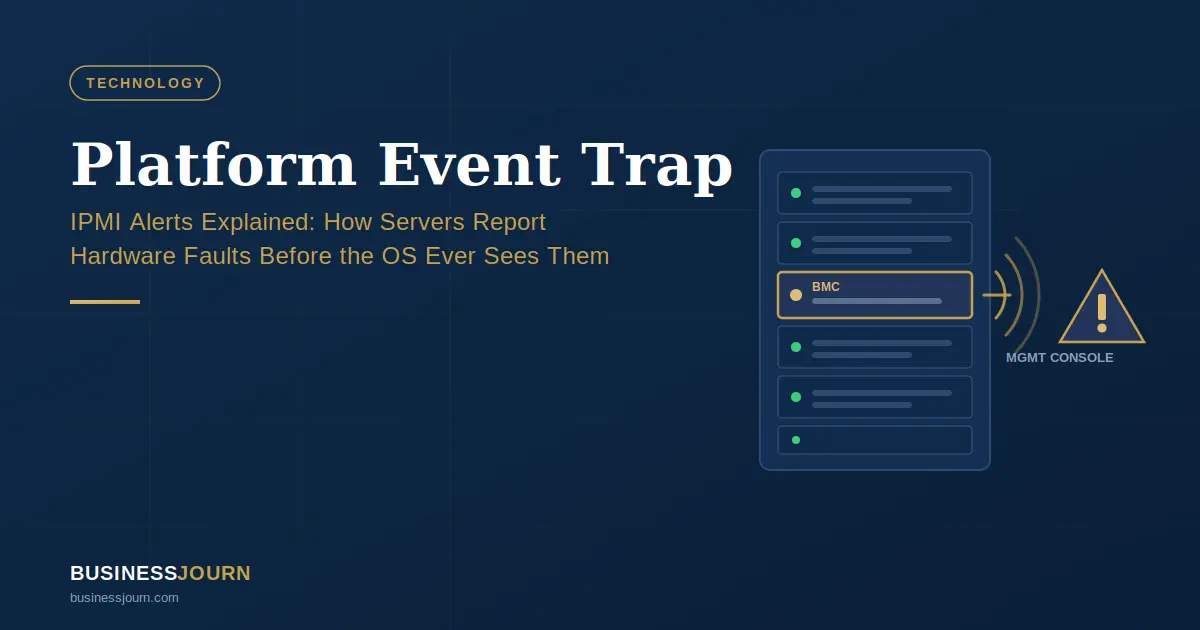
A Platform Event Trap (PET) is an alert a server’s hardware sends when a firmware or component-level sensor crosses a defined threshold — independent of whatever operating system is (or isn’t) running at the time. It’s part of the IPMI (Intelligent Platform Management Interface) standard, and it travels over SNMP, the same protocol network gear has used for decades to report status to a management console.
The detail that actually matters when you’re troubleshooting: PET doesn’t route through Windows, Linux, or any OS-level agent. It originates from the Baseboard Management Controller (BMC) — a separate chip on the motherboard with its own processor and memory. If the main system has crashed, frozen, or lost power, the BMC can often still send a PET, because it isn’t relying on the thing that just failed.
Note: IPMI’s development is widely attributed to a consortium including Intel, HP, NEC, and Dell in the late 1990s, with the PET format specification dating to 1998. Treat this as well-established industry background rather than a claim from a single primary source — confirm against the spec document itself if you need it for a citation-sensitive context.
Who This Guide Is For
- Sysadmins and IT ops staff troubleshooting a “PET” entry in a BMC log, iDRAC/ILOM console, or SNMP trap receiver
- NOC/monitoring teams setting up SNMP trap destinations for out-of-band hardware alerting
- Salesforce developers who landed here by accident — see the FAQ below, this isn’t the guide you need
This guide is not for: people looking for Salesforce Platform Events development guidance (different, unrelated meaning of the term), or anyone needing a full IPMI protocol implementation reference — for that, go directly to the IPMI/PET format specification.
How a Platform Event Trap Works
PET isn’t a single event — it’s a chain of four steps. Knowing the chain is what lets you tell “informational noise” apart from “the fan just died.”
Sensors and Threshold Monitoring
Managed servers have physical sensors wired to the motherboard: temperature probes, voltage monitors on power rails, tachometers on fans, and presence detectors on power supplies. Each sensor has thresholds set in firmware — for example, a CPU temp sensor might carry a “warning” threshold at 75°C and “critical” at 90°C. Exact thresholds are vendor- and model-specific; check your hardware’s BMC configuration rather than assuming standard values.
Role of the Baseboard Management Controller (BMC)
The BMC polls these sensors continuously, independent of the OS. When a reading crosses a configured threshold, the BMC logs the event and, based on Platform Event Filtering (PEF) policy, decides whether to record it, trigger a local action (like spinning fans up), or generate a trap.
Trap Generation and SNMP Transmission
If a trap is warranted, the BMC packages the event into a PET message. To keep the payload compact enough for firmware with limited storage, the entire event — severity, sensor type, entity ID, timestamp offset — is packed into a single octet-string variable binding inside the SNMP packet, then sent over UDP port 162 to the configured trap destination.
Pro Tip: If your servers aren’t sending PETs at all, check the SNMP trap destination configured in the BMC settings before you suspect a sensor failure. A missing or wrong destination IP is a far more common root cause — and it’s the fastest thing to rule out.
Platform Event Trap vs Standard OS Alerts
This is the distinction that trips people up the first time they encounter PET: it isn’t the same category of alert as a syslog entry or a Windows Event Log warning.
An OS-level alert depends on the operating system being functional enough to write a log entry, usually via a monitoring agent running inside that OS. If the kernel panics or the box loses power mid-crash, that alert never gets written.
PET doesn’t carry that dependency, because the BMC typically runs on a separate power path in server designs and keeps operating even when the host OS is completely unresponsive. That’s the design intent behind out-of-band management generally, not something unique to PET as a message format — but PET is the specific mechanism that carries the alert.
Real-world example: A switch in a remote closet stops responding to pings. Standard syslog shows nothing useful, because the OS never got the chance to log the failure. The BMC, however, had detected a voltage anomaly on the power supply thirty seconds earlier and sent a PET to the management console — giving the ops team a lead before the device went fully dark, instead of after.
Limitation to know: out-of-band alerting only works if the BMC itself has power and network connectivity. A total power loss to the chassis, or a misconfigured/disconnected management network port, will silence PET just as surely as an OS crash silences syslog. It reduces — it doesn’t eliminate — blind spots.
How to Decode a Platform Event Trap
This is the part most reference material skips. A raw PET isn’t human-readable on its own — it’s a compact binary payload, and you need to know which fields to check.
Key Fields in a PET Message
| Field | What It Tells You | Example Value |
|---|---|---|
| Severity | Urgency, based on DMI Event Severity codes | Informational, Warning, Critical, or FFh (unspecified) |
| Entity ID | Which physical component the event is tied to | Processor module, power supply, fan |
| Sensor Type | What kind of sensor triggered it | Temperature, voltage, fan speed |
| Event Data | Raw sensor reading or state-change detail | Threshold value crossed |
| Manufacturer/Product ID | Which vendor’s firmware generated the event (needed for OEM decoding) | Set by BMC vendor |
Warning: A severity of
FFhmeans “unspecified” — the firmware didn’t classify the event. That’s not the same as low-priority. Cross-reference the sensor type and entity ID manually before deciding it’s safe to ignore. Unspecified severity is a signal to look closer, not a green light.
Decoding Tools: ipmitool vs. FreeIPMI
| Tool | Best For | Limitation |
|---|---|---|
ipmitool | Querying a BMC directly, on-box or via LAN, to review the local System Event Log | Doesn’t interpret traps already in flight over SNMP |
FreeIPMI’s ipmi-pet | Interpreting PET packets captured at the SNMP layer | OEM data interpretation isn’t guaranteed accurate — vendor firmware changes can break it |
To review recent hardware events logged locally with ipmitool:
ipmitool sel elistThis pulls the System Event Log (SEL) and lists entries with sensor name, event type, and a plain-text description where firmware provides one.
To decode a captured PET packet with FreeIPMI:
ipmi-pet --manufacturer-id=<ID> --product-id=<ID> --interpret-oem-dataThe --interpret-oem-data flag attempts to decode vendor-specific fields, but manufacturer and product ID must be supplied together — the tool won’t guess one without the other.
Common Mistake: Treating OEM-interpreted output as verified fact. FreeIPMI’s own documentation states plainly that correctness of OEM interpretation isn’t guaranteed, since vendors change firmware behavior across product revisions. Use decoded text as a strong lead, then confirm against vendor documentation before acting on it — especially before replacing hardware.
Platform Event Trap by Vendor
PET is a shared standard, but where and how it surfaces depends on the management interface your hardware runs.
| Vendor | Management Interface | Where PET Shows Up |
|---|---|---|
| Dell | iDRAC | iDRAC documentation includes tools for decoding IPMI and PET data directly |
| Oracle | ILOM | PET is documented as a native ILOM glossary term and alert type |
| Lenovo | XClarity / IMM | Referenced alongside IPMI hardware management in vendor documentation |
| Cisco | BMC-based switch management | Used for out-of-band alerts on switch hardware faults, independent of IOS/NX-OS |
Verify current terminology directly against each vendor’s admin guide before publishing — documentation structure and naming shift across firmware generations, and this table reflects a point-in-time snapshot, not a live source.
Other vendors, including HPE, build IPMI-compliant BMCs and support SNMP-based out-of-band alerting, but naming conventions vary enough that it’s worth checking your specific platform’s admin guide rather than assuming identical terminology across brands.
Is a Platform Event Trap Something to Worry About?
Not every PET needs a technician walking over with a replacement part. Use severity and entity type together.
Severity Levels Explained
- Informational — state change logged, no action needed (e.g., a sensor came back online)
- Warning — a threshold was crossed but the component is still operating
- Critical — the component has failed or is actively failing (fan stopped, PSU offline, voltage out of range)
- Unspecified (
FFh) — not classified by firmware; requires manual review
Decision Framework: Escalate or Ignore
- Severity is Critical → escalate immediately, regardless of component
- Warning-level, on a redundant component (dual PSU, multiple fans) → log and monitor, no immediate action required
- Warning-level, on a non-redundant component → treat as urgent — there’s no failover if it degrades further
- Severity unspecified → cross-check entity ID and sensor type manually before deciding
- Same sensor has fired repeatedly in a short window → escalate even at Warning level; recurring threshold crossings often precede hard failure
Risk to flag: don’t rely solely on severity labels set by firmware. Firmware severity classification reflects how the vendor’s engineers judged the event at design time — it doesn’t account for your specific redundancy setup. A “Warning” on a single-PSU system is a different risk than the same “Warning” on a dual-PSU system, and the trap itself won’t tell you that.
Common Triggers for Platform Event Traps
- Temperature/thermal events — CPU or ambient temperature crossing threshold; often the earliest sign of airflow or cooling problems
- Power supply and voltage faults — PSU losing input power, a voltage rail drifting out of spec, or a PSU physically removed while running
- Fan failures — tachometer reading drops to zero or below minimum RPM; frequency of this trigger tends to increase with hardware age, particularly on mechanical fans past their rated service life
- Chassis intrusion — chassis cover sensor detects the case was opened; useful for physical security auditing in colocation environments, not just hardware health (general IPMI sensor capability — confirm your specific hardware supports this sensor type before relying on it)
Platform Event Trap and the Shift Toward Redfish
IPMI and PET have been the default out-of-band management standard for over two decades. The industry has been moving toward Redfish, a newer DMTF standard using a RESTful HTTP API instead of SNMP traps and binary payloads.
Be cautious with specifics here: the pace and timeline of that transition vary by vendor and hardware generation, and this article won’t make firm claims about when any specific platform drops IPMI/PET support. If you’re planning infrastructure for the next several years, check your vendor’s roadmap directly. PET remains fully supported on a large base of currently deployed hardware today.
Limitations of This Guide
- Vendor-specific terminology and menu paths change across firmware versions — treat vendor references here as a starting point, not a substitute for your platform’s current admin guide.
- Command examples show general syntax; flag availability and exact behavior can differ by
ipmitool/FreeIPMI version. Check--helpoutput on your installed version before scripting against it. - This guide covers the IPMI/hardware meaning of “Platform Event Trap” only. It does not cover Salesforce Platform Events architecture — see the FAQ if that’s what you’re looking for.
FAQs
What does PET mean in server logs?
Platform Event Trap — an SNMP alert generated by a server’s BMC when a hardware or firmware sensor crosses a configured threshold, independent of the operating system.
Is a Platform Event Trap a hardware failure?
Not necessarily. Severity ranges from Informational to Critical. Check the severity and entity ID fields before assuming failure — many PETs are routine state-change logs.
What’s the difference between PET and syslog?
Syslog depends on the OS being functional enough to write logs. PET comes from the BMC directly and can still report even if the OS has crashed or the system has lost power — as long as the BMC itself retains power and network connectivity.
Does PET work if the OS crashes?
Yes, in most designs — that’s its core purpose. The BMC operates independently of the main processor and OS. It won’t work if the BMC itself loses power or its management network connection is down.
What does “Platform Event Trap” mean in Salesforce?
Some Salesforce-focused content uses “platform event trap” informally to describe common implementation mistakes with Salesforce Platform Events — using them for synchronous flows, ignoring governor limits, or neglecting event ordering. This is an unrelated meaning; the terms just share a name. If that’s what you searched for, you want Salesforce Platform Events documentation, not IPMI documentation.
Is PET being replaced by Redfish?
The industry is trending toward Redfish as a modern out-of-band standard, but adoption timelines vary by vendor and hardware generation. PET remains actively supported on most currently deployed enterprise servers — don’t assume it’s deprecated on your current hardware without checking your vendor’s specific roadmap.